Try Cited for free
7-day trial
MCP server for Claude and ChatGPT

Your AI visibility, in the assistant you already use.

Connect Claude or ChatGPT to K—lab and ask about your measurements in plain language. The assistant reads only the workspaces you choose, and it cannot change anything.
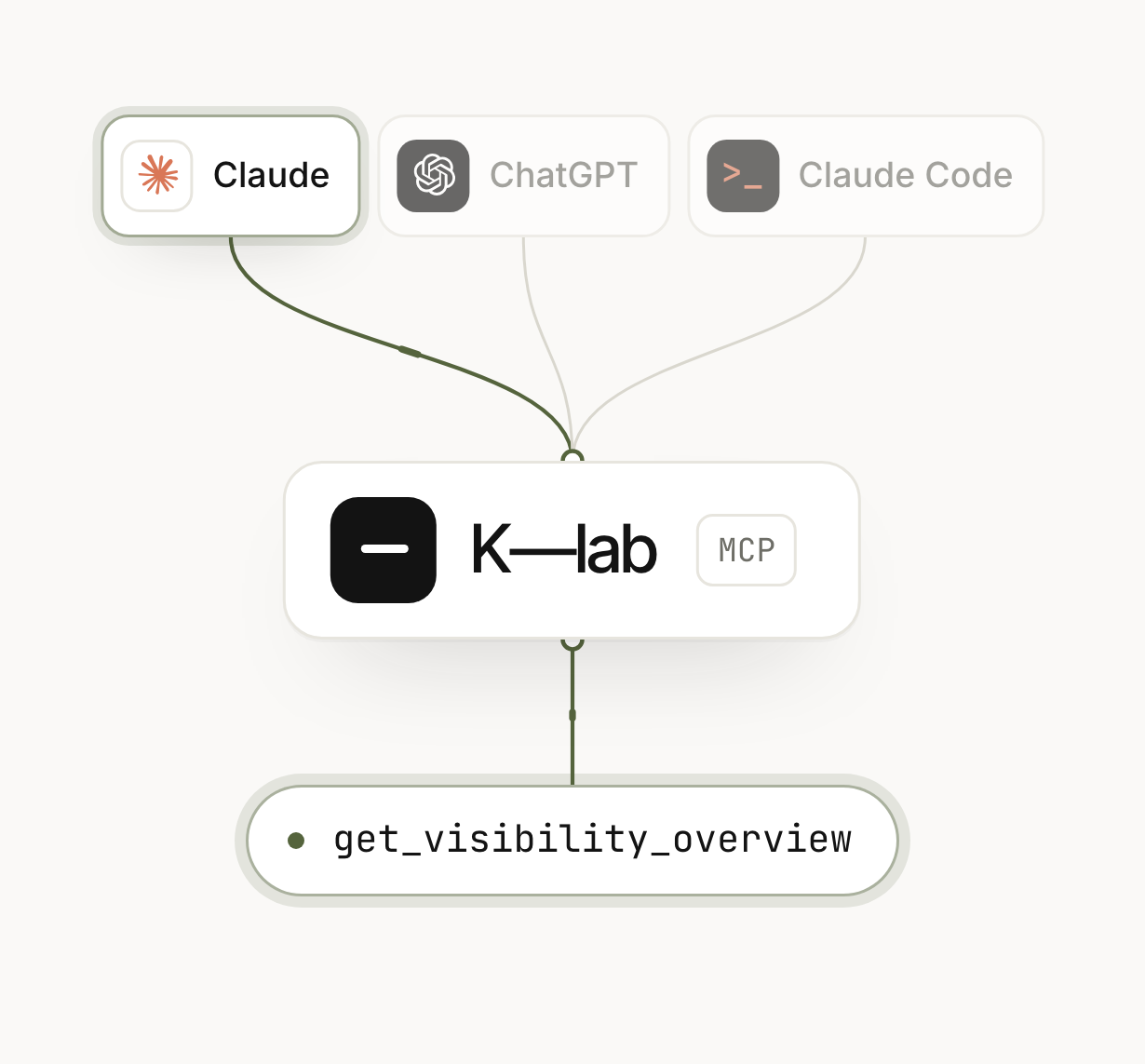
Claude, ChatGPT og Claude Code kobles til K—lab gjennom MCP
Tools

Eleven tools. The assistant picks the right ones.

Each tool does one thing, such as fetching your competitors or reading a single AI answer word for word. You ask in plain language, and the assistant uses the tools the question needs. The numbers come from the latest completed measurement, with numerator and denominator.

11
Read tools
Measurements, competitors, prompts, AI answers, sources and Work.
0
Write tools
The assistant cannot change anything in K—lab.
60
Calls per minute
The limit per connection, and 3,000 per day.
The tools in K—lab MCP
list_workspaces
The workspaces the connection can read.
get_visibility_overview
AI visibility, share of AI mentions, average position and market position from the latest measurement.
list_competitors
Your brand and its competitors, sorted by share of AI mentions.
list_market_areas
Visibility per market area.
list_prompts
The questions K—lab asks the AI platforms.
get_prompt_results
Latest answers and history for one question.
search_answers
Search stored AI answers, with the sources they cited.
get_answer
One AI answer word for word, with every cited address.
top_sources
The domains AI answers cite most.
list_actions
The tasks in Work.
get_trend
Key figures, measurement by measurement, over time.
Connect

Connect in a minute, and choose what it can see.

No keys to copy. Add the address, log in with K—lab, choose the workspaces and ask. The address is the same for Claude, ChatGPT and Claude Code.

https://app.k-lab.so/api/mcp
claude.ai and Claude Desktop
Claude
1. Open Settings → Connectors.
2. Choose Add custom connector and paste the address.
3. Log in with K—lab and tick the workspaces the assistant may read.
With developer mode
ChatGPT
1. Open Settings → Apps & Connectors → Advanced and turn on developer mode.
2. Create a connector with the address, and choose OAuth.
3. Log in with K—lab and tick the workspaces the assistant may read.

Whether you can add custom connectors depends on your ChatGPT plan.

Terminal
Claude Code
1. Run the command:
claude mcp add --transport http k-lab https://app.k-lab.so/api/mcp
2. Type /mcp in Claude Code and choose k-lab. K—lab opens in your browser.
3. Log in with K—lab and tick the workspaces the assistant may read.

Ask, for example, “Which K—lab workspaces do you have access to?” to see that the connection works.

Security and access
Log in, no keys
The connection uses OAuth 2.1 with your regular K—lab login. No API key sits in a configuration file.
Choose the workspaces
You tick the workspaces when you log in. The assistant sees only those, and only as long as you are a member.
Read-only access
The connection gets only the cited:read scope. The assistant cannot add, change or delete anything in K—lab.
Revoke access at any time
Disconnect under Innstillinger → MCP in K—lab. The assistant’s next call is rejected.

Access renews every hour. If it is not used for 30 days it stops, and after 90 days you have to log in again regardless. Every call is logged with tool and workspace, but without questions or answers.

Frequently asked questions

What is K—lab MCP?

K—lab MCP is an MCP server that connects K—lab to AI assistants such as Claude and ChatGPT. MCP stands for Model Context Protocol, an open standard for how assistants fetch data from other services. When K—lab is connected, the assistant can look up your measurements, competitors, AI answers and sources before it replies.

Which assistants can be connected?

Claude on claude.ai and in Claude Desktop, Claude Code and ChatGPT. They all use the same address, https://app.k-lab.so/api/mcp. Whether you can add custom connectors in ChatGPT depends on your plan there.

Do we need an API key?

No. You log in with your regular K—lab account through OAuth 2.1 with PKCE and choose the workspaces there. The assistant gets access that lasts one hour and renews itself. K—lab never stores the token itself, only a hash of it.

What can the assistant see?

The measurements, competitors, market areas, prompts, AI answers with their sources and the tasks in Work, in the workspaces you ticked. It does not see other workspaces, and it cannot change anything. If a person is removed from a workspace, the connection stops reading it immediately.

What happens to what the assistant fetches?

It becomes part of the conversation and is processed by Anthropic or OpenAI under the terms you have with them. K—lab logs which tool was used and when, but not what was asked or what was answered.

Ask where you already work.

If you have K—lab, setup takes a minute. If you don’t yet, you can try Cited or book a demo.